

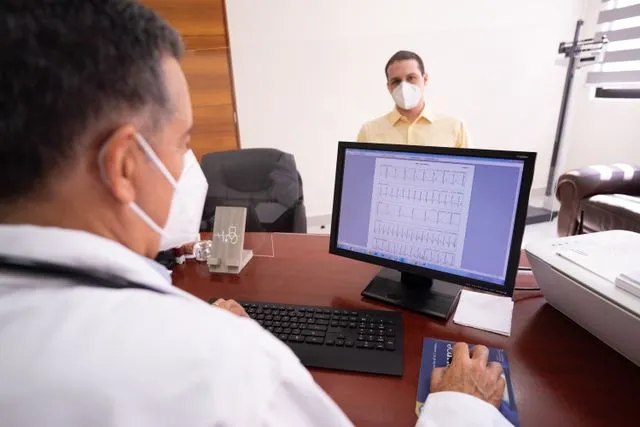

When all these activities are handled manually, even a small increase in patient numbers can create pressure on reception employees. Missed calls, duplicate appointments, scheduling mistakes and long queues can affect daily hospital operations.
For small and mid-sized hospitals, adopting Appointment Management Software India can help organise these routine activities and reduce repetitive administrative work.
Instead of managing every appointment through phone calls, registers and spreadsheets, hospitals can use a more structured digital process. This allows reception teams to spend less time on manual scheduling and more time assisting patients.
Here are seven ways appointment management solutions can help reduce reception workload.
1. Reduce Repeated Phone Calls for Appointment Booking
One of the most time-consuming reception activities is answering appointment-related calls. Patients frequently contact hospitals to ask about doctor availability, consultation timings and suitable appointment slots.
When reception staff handle every booking manually, they may have limited time for patients visiting the hospital.
How Online Booking Helps
Online appointment booking allows patients to check available consultation slots and submit appointment requests through a digital platform.
Depending on the system’s capabilities, patients may be able to:
Select a doctor.
View available appointment slots.
Choose a suitable date and time.
Enter basic contact information.
Receive booking confirmation.
Appointment Management Software India can help hospitals manage these activities through a structured booking process.
Phone support can still remain available for patients who need personal assistance, but reception teams may receive fewer routine booking calls.
2. Simplify Doctor Schedule Management
Reception employees often need to check multiple doctor schedules before confirming appointments.
If schedules are maintained in separate registers or spreadsheets, staff may find it difficult to identify available slots quickly. Changes in consultation timings can also create confusion.
Maintain Updated Appointment Schedules
Appointment Management Software can help maintain organised doctor schedules in one place, depending on the system’s functionality.
Reception staff can use the available schedule information to:
Check doctor availability.
Review booked consultation slots.
Identify unavailable timings.
Manage appointment changes.
Avoid overlapping bookings.
This makes appointment coordination easier and reduces the need to repeatedly contact doctors or departments for schedule confirmation.
3. Reduce Manual Data Entry and Duplicate Records
Patient registration often involves collecting names, contact details, appointment dates and consultation information.
When employees enter the same information repeatedly, the chances of typing mistakes and duplicate records can increase.
Improve Patient Information Management
A digital appointment process can help maintain organised patient booking details.
Where supported, previously recorded patient information can be used to reduce repeated data entry. Staff should still verify important details before confirming appointments.
This can help reception teams spend less time preparing appointment records and reduce confusion caused by incomplete information.
Accurate records also make it easier to locate previous bookings when patients contact the hospital for changes or follow-up consultations.
4. Automate Appointment Confirmations and Reminders
Reception teams often spend time calling patients to confirm appointments or remind them about upcoming consultations.
These calls may become difficult to manage when several doctors have busy schedules.
How Digital Reminders Help
Depending on the available features, Appointment Management Software may support appointment confirmation messages and reminders through SMS, email or other communication channels.
These notifications can help patients remember their scheduled consultation times.
They can also make it easier for hospitals to communicate appointment changes.
However, hospitals should ensure that patient contact details are accurate and that reminder messages follow appropriate privacy practices.
Automated reminders do not eliminate the need for staff communication, but they can reduce repetitive follow-up work.
5. Improve Patient Flow Management at Reception
Reception workload is not limited to appointment booking. Employees also need to manage patient arrivals, registration queues and walk-in consultations.
When several patients arrive at the same time, reception areas can become crowded.
Patient Flow Management helps hospitals coordinate patient movement from arrival and registration to consultation and other required services.
Organise Expected Patient Arrivals
A properly maintained appointment schedule helps reception teams understand how many patients are expected during different time slots.
This information can support better planning of registration activities and consultation queues.
For example, staff can prepare appointment records in advance and identify possible scheduling conflicts before patients arrive.
Digital Appointment Management can therefore support better coordination between reception employees and other hospital departments.
Hospitals should still keep some flexibility for emergencies, delayed consultations and walk-in patients.
6. Manage Cancellations and Rescheduling More Easily
Appointment cancellations and schedule changes are common administrative challenges.
When a patient cancels through a phone call, reception staff must update the booking register and check whether another patient can use the available slot.
If these changes are not recorded properly, the hospital may face duplicate bookings or unused consultation slots.
Maintain Updated Booking Records
A digital appointment process can help staff review appointment changes and maintain updated schedules.
Depending on the system, employees may be able to:
Record cancelled appointments.
Reschedule existing bookings.
Review available consultation slots.
Update patient appointment details.
Identify unused appointment timings.
This reduces the need to manage changes through multiple registers and helps reception staff maintain more accurate schedules.
7. Reduce Administrative Pressure Through Better Digital Coordination
Reception employees regularly communicate with doctors, nurses, administrators and patients.
When appointment information is scattered across different records, staff may spend additional time finding details and confirming schedules.
A structured digital process can make relevant appointment information easier to access.
Hospitals should also consider how appointment scheduling fits into their wider administrative processes.
For example, clinics that manage patient registration and consultations alongside appointment bookings may benefit from reviewing their broader digital administration requirements.
The Government of India’s Ayushman Bharat Digital Mission also promotes digital healthcare processes. Its Scan and Register service allows patients at participating healthcare facilities to complete OPD registration through QR-code-based digital registration, helping reduce manual registration activities.
Practical Example: How a Hospital Can Reduce Reception Workload
Illustrative example:
Consider a mid-sized hospital where reception employees manage all appointments through telephone calls and paper registers.
During busy OPD hours, staff handle incoming calls while registering walk-in patients. They also contact doctors to confirm availability and call patients about appointment changes.
As a result, employees spend considerable time on repetitive scheduling activities.
The hospital introduces a digital appointment booking process while keeping telephone booking available.
Patients who are comfortable with online booking can request consultation slots digitally. Reception staff can review doctor schedules, maintain booking records and handle patients who require personal assistance.
The hospital also introduces a process for regularly updating cancellations and appointment changes.
This approach helps distribute routine administrative work more effectively and allows reception employees to focus on other patient service responsibilities.
Frequently Asked Questions
1. How does Appointment Management Software reduce reception workload?
It can help organise appointment bookings, maintain doctor schedules, manage cancellations and support digital reminders. These functions can reduce repetitive manual tasks handled by reception employees.
2. Is Appointment Management Software India suitable for small clinics?
Yes. Small clinics can use appointment management solutions to organise doctor schedules, manage consultation bookings and maintain patient appointment records. The selected system should match the clinic’s size and daily requirements.
3. Can appointment software reduce patient waiting time?
It can help organise appointment slots and expected patient arrivals. However, actual waiting time also depends on doctor availability, consultation duration, emergencies and hospital operations.
4. Should hospitals completely replace manual appointment booking?
Not necessarily. Hospitals can combine digital booking with telephone and walk-in registration. This approach provides convenience for digitally comfortable patients while retaining assistance for those who need it.
Conclusion
Reception employees handle several responsibilities beyond answering calls and booking appointments. Manual scheduling, repeated data entry, appointment confirmations and cancellations can increase their daily workload.
Adopting suitable Appointment Management Software India can help hospitals organise these activities and improve coordination between reception staff, doctors and patients.
For small and mid-sized hospitals, the goal should be to simplify routine scheduling tasks without removing personal assistance. Better Digital Appointment Management and organised Patient Flow Management can help reception teams work more efficiently while providing a smoother appointment experience for patients.



Join the conversation