
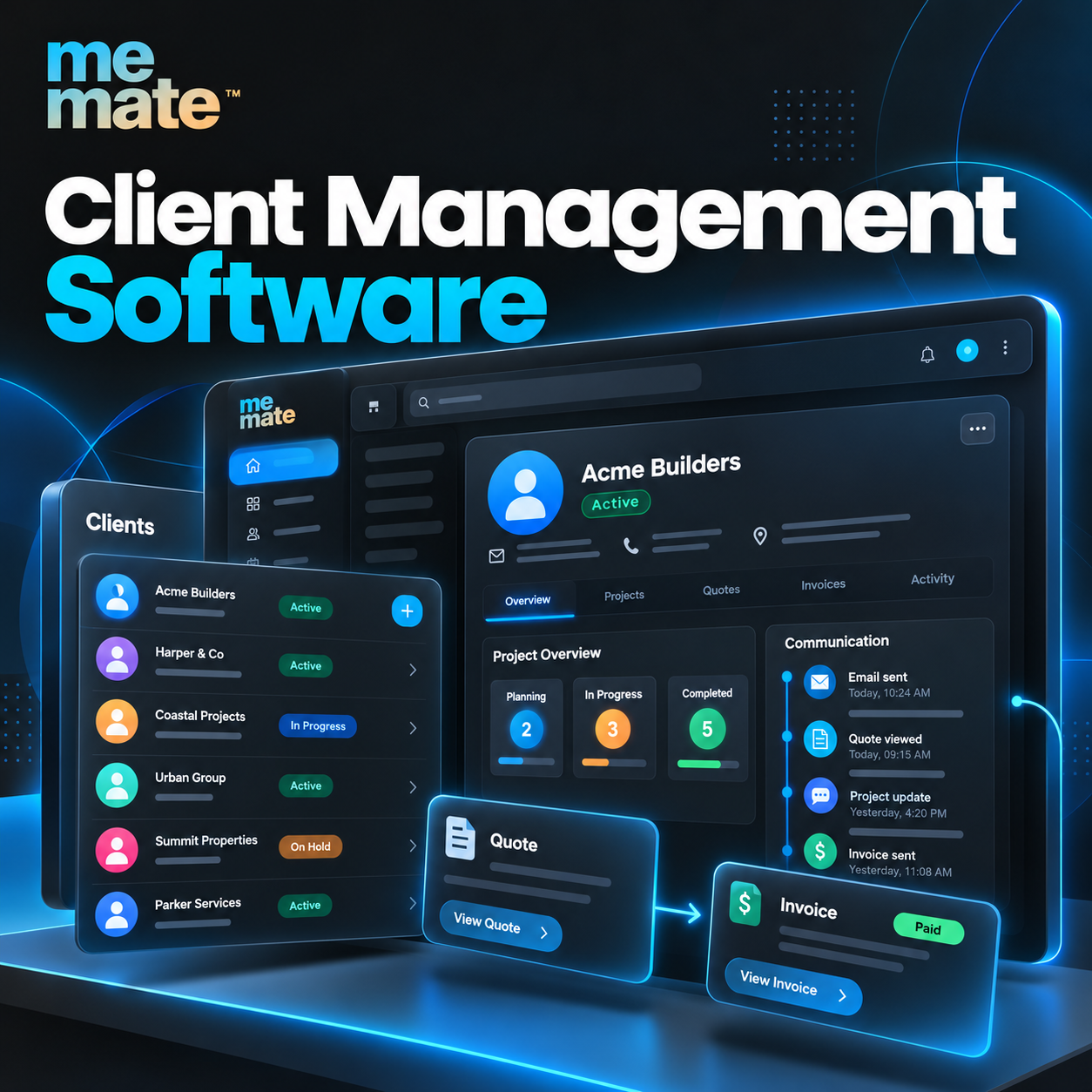

Managing client relationships becomes more challenging as a business grows. Contact details may sit in spreadsheets, conversations get buried in emails, follow-ups are forgotten, and teams struggle to track outstanding work. These gaps can lead to missed opportunities, duplicated effort and inconsistent client experiences.
Client management software helps businesses bring client information, communication records, tasks and follow-ups into a more organised system. When used effectively, it supports stronger relationships while making everyday operations easier to manage. Understanding its features, benefits and limitations can help businesses choose a solution that suits their needs.
What Is Client Management Software?
Client management software is a digital tool that helps businesses organise client details, track interactions, manage follow-ups and coordinate ongoing work. Instead of relying on disconnected documents and inboxes, teams can maintain a central record of their client relationships.
Depending on the platform, features may include contact management, communication history, task assignment, reminders, sales pipeline tracking and workflow automation.
For example, a consulting business could use the software to record an enquiry, schedule a discovery call, prepare a proposal and track the next follow-up. Team members can refer to the same information rather than repeatedly asking for updates.
Some platforms focus primarily on contacts and sales, while others combine client management with quoting, scheduling, invoicing and broader business operations.
Why Organised Client Information Matters
Good client management depends on having accurate information available when it is needed. When records are scattered across multiple systems, businesses can lose track of client preferences, previous discussions, agreed deadlines and outstanding commitments.
A centralised system helps teams maintain continuity, particularly when several employees work with the same client.
Consider a home services business that receives an enquiry for a property maintenance job. The office team records the client’s details, while the operations team needs access to the job requirements, appointment date and communication history. An organised system helps both teams work from consistent information.
However, software alone cannot guarantee better relationships. Records must be accurate, responsibilities must be clear, and employees must follow agreed processes.
Essential Features to Look For
The most useful features depend on the size, industry and complexity of a business. Several capabilities are worth evaluating before choosing a platform.
1. Contact and Communication Management
Look for searchable client profiles containing relevant contact details, notes, interaction history and important preferences. Shared records reduce the risk of losing context when a colleague takes over an account.
2. Follow-Up Reminders and Task Tracking
Reminders help teams manage callbacks, proposal reviews, appointments and outstanding actions. Task ownership and due dates make it easier to see who is responsible for the next step.
3. Workflow Automation
Automation can handle repetitive activities, such as creating a follow-up task after an enquiry or sending a notification when a job changes status. Start with predictable, low-risk tasks before automating complex client communications.
4. Reporting and Visibility
Useful reports show enquiry status, overdue tasks, upcoming commitments and workload distribution. These insights help managers identify bottlenecks and improve processes.
5. Integration With Daily Operations
Businesses that manage projects or field services may benefit from connecting client records with quoting, scheduling, job tracking and invoicing. Before purchasing, confirm which integrations are available and whether additional subscriptions or configuration are required.
How a Client Relationship Management Database Supports Daily Work
A client relationship management database stores structured information about clients, prospects and their interactions with a business. It may include contact details, enquiry sources, meeting notes, previous purchases, preferences and follow-up dates.
Its value comes from making information useful, not simply storing it.
For instance, a marketing agency could record a prospective client’s requirements, proposed budget, meeting notes and proposal status. If the prospect requests a follow-up next week, the responsible employee can schedule a reminder and review the earlier discussion before making contact.
To maintain reliable records, businesses should establish consistent naming conventions, remove duplicate entries and restrict access to sensitive information. Collect only the information needed for legitimate business purposes and apply appropriate retention and security practices.
Practical Ways to Improve Follow-Ups and Workflow Efficiency
Better client management often comes from improving everyday habits rather than adding more software features.
- Define the next action: Every active enquiry should have a clear next step, an owner and a realistic due date.
- Standardise client stages: Use consistent stages such as new enquiry, qualified lead, proposal sent, confirmed and completed.
- Record important conversations: Capture decisions, requirements and commitments soon after meetings or calls.
- Create useful reminders: Schedule follow-ups around actual deadlines and client expectations instead of sending generic messages automatically.
- Review outstanding work weekly: Identify overdue tasks, inactive enquiries and clients awaiting updates.
- Measure meaningful outcomes: Track response times, conversion rates and overdue actions where the data is reliable and relevant.
For service businesses, connecting these practices with operational workflows can be particularly valuable. MeMate, a business management software platform, is worth evaluating for businesses seeking to coordinate client-related work alongside broader business processes. Its suitability will depend on the specific features, integrations and plan requirements a business needs.
How to Choose the Right Software
Choosing a platform begins with understanding existing problems, not comparing the longest feature lists.
First, identify where work currently breaks down. Is client information difficult to find? Are enquiries not receiving timely responses? Do employees struggle to connect conversations with jobs, quotes or invoices?
Next, assess usability, reporting, mobile access, permissions, data export options and integration requirements. Check pricing carefully, including user limits, implementation costs and paid add-ons.
A small business may need only reliable contact records and reminders. A growing service company may require client management connected to job scheduling, invoicing and team coordination.
Test shortlisted platforms using realistic scenarios. Ask employees to enter an enquiry, assign a task, update a client record and retrieve the information later. This reveals practical usability issues that feature comparisons can overlook.
Common Implementation Mistakes to Avoid
Even suitable software can underperform when implementation is poorly planned.
Common mistakes include importing outdated or duplicate records, enabling unnecessary features, automating unclear processes and failing to train employees. Another risk is treating software as a substitute for personal communication.
Start with a small, manageable workflow. Clean existing data, define responsibilities, train the team and review adoption regularly. Expand gradually once the initial process works reliably.
Frequently Asked Questions
What is the difference between client management software and CRM software?
Client management software focuses on organising client information and ongoing relationships. Customer relationship management software (CRM) often includes these functions alongside lead management, sales pipelines and customer reporting. The terms overlap, and actual capabilities vary by provider.
Is client management software suitable for small businesses?
Yes. Freelancers, consultants and small service businesses can use it to organise contacts, schedule follow-ups and manage client commitments. The best option is one that solves current problems without introducing unnecessary complexity.
Can client management software automate follow-ups?
Many platforms support reminders, notifications and selected automated workflows. Businesses should verify the available features and maintain human oversight for sensitive or personalised communications.
How does client management software improve team collaboration?
Shared records, task ownership and communication history help employees understand previous interactions and outstanding responsibilities. Access permissions and consistent data entry remain essential.
How should a business evaluate MeMate?
Assess whether MeMate’s available features match your client management and operational requirements. Review its current functionality, integrations, pricing and support, then test a representative workflow before making a decision.
Is a client management database secure?
Security depends on the platform’s safeguards and how the business configures and uses it. Evaluate access controls, authentication, backup arrangements, data handling practices and applicable privacy obligations before storing sensitive client information.



Join the conversation