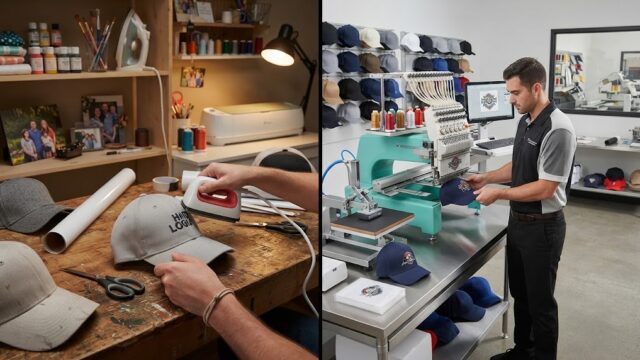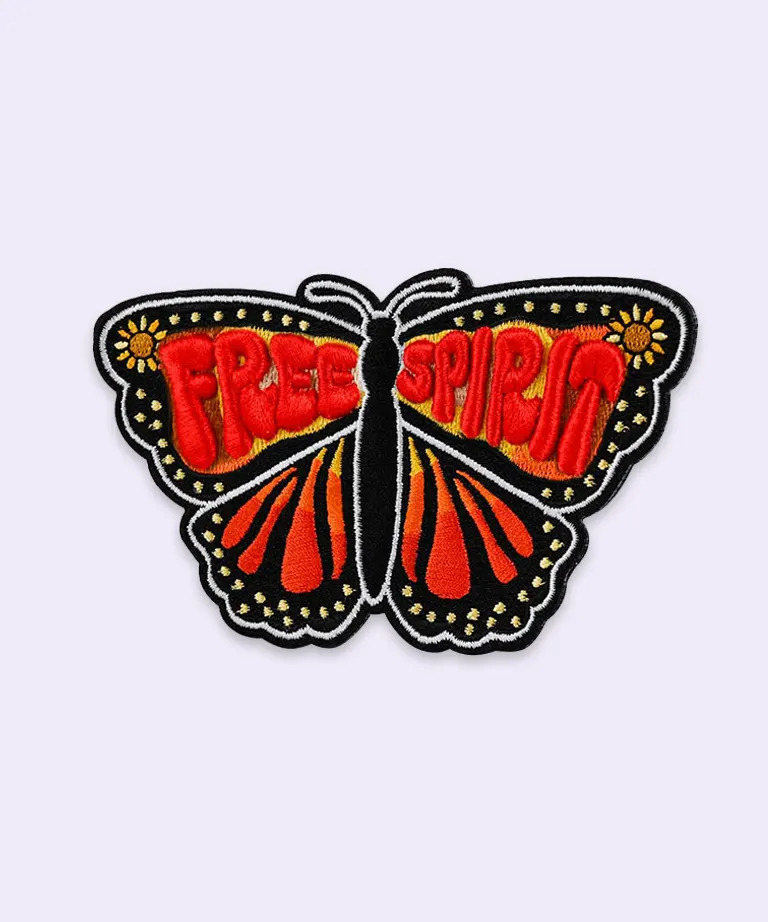
Creating a professional cloth patch design is easier when you can preview the artwork before production. A cloth patch mockup free download gives designers, clothing brands, and custom patch businesses a way to visualize logos, colors, borders, and fabric textures without immediately ordering physical samples.
Whether you are designing embroidered badges, clothing labels, jacket patches, or custom fabric emblems, a digital mockup can help you refine the concept and present it clearly to customers. Using a cloth patch mockup free download for different design variations also makes it easier to compare layouts and select the best option before manufacturing.
What Is a Cloth Patch Mockup?
A cloth patch mockup is a digital representation of a fabric patch. It shows how a logo, illustration, or text design might appear on a fabric surface, often with simulated stitching, texture, shadows, and borders.
Mockups can be created using editable design templates, image-editing software, or online tools. Depending on the resource, you may be able to replace sample artwork, adjust colors, change the background, and preview the patch on clothing or accessories.
Common applications include:
- Embroidered patches for jackets and hoodies.
- Custom badges for uniforms and workwear.
- Fabric labels for clothing brands.
- Logo patches for hats and backpacks.
- Promotional patches for businesses and events.
- Decorative patches for DIY clothing projects.
A mockup is intended for visual presentation. The actual patch may require additional artwork preparation and manufacturing specifications.
Why Use a Cloth Patch Mockup Free Download?
Free downloadable mockups are useful for designers who want to experiment with patch concepts without immediately paying for specialized templates.
Preview Your Artwork Before Production
A flat logo does not always communicate how a design will look on textured fabric. A mockup can simulate the appearance of stitching, borders, and material surfaces, helping you evaluate the concept before ordering a sample.
Compare Multiple Design Variations
You can test different patch shapes, backgrounds, color combinations, and artwork placements. Comparing several versions can help you identify the most balanced design.
Create Professional Client Presentations
If you offer custom patch design services, a realistic mockup can help customers understand your proposal. It is easier to discuss a patch when clients can see a visual representation rather than only a flat logo.
Save Time During Design Development
Mockups make it possible to revise the visual concept before production. This can reduce unnecessary changes, especially when designing patches for multiple products or customers.
Prepare Product Marketing Images
A cloth patch mockup can be used in product catalogs, online stores, portfolios, proposals, and social media graphics. Consistent visuals can help present your products professionally.
How to Use a Cloth Patch Mockup
The process depends on whether you choose an editable template or an online mockup tool.
- Choose a suitable template: Select a cloth or embroidered patch mockup that matches your intended design.
- Download the resource: Check the format, software requirements, and license.
- Open the template: Use compatible image-editing software if the file requires it.
- Insert your artwork: Replace the sample logo or design with your own.
- Adjust the dimensions: Keep the artwork proportional to the patch boundaries.
- Customize the appearance: Change the background, texture, colors, and border where supported.
- Review the result: Check spacing, contrast, alignment, and readability.
- Export the preview: Save the finished presentation in a supported image format.
Keep an untouched copy of the original file so you can reuse the template for future designs.
What to Look for in a Free Cloth Patch Mockup
Not every free template offers the same editing options or image quality. Consider the following features before downloading one.
High-Resolution Output
Choose a mockup with sufficient resolution for your intended use. High-resolution images are particularly helpful for detailed product presentations and online catalogs.
Realistic Fabric Texture
The texture should resemble the material you intend to represent. An embroidered patch, woven label, and printed fabric patch have different visual characteristics.
Editable Artwork
Some templates include smart objects or clearly organized layers that allow you to replace sample artwork quickly. Others may require more manual editing.
Multiple Shapes
Templates that support circular, rectangular, oval, and shield-shaped patches provide flexibility for different projects.
Customizable Backgrounds
An editable background helps you coordinate the mockup with your brand colors or product photography.
Clear Licensing
Check whether the template allows commercial use, client presentations, and advertising. A free download does not automatically mean unrestricted commercial rights.
Cloth Patch Mockup Free Download vs. Online Mockup Tools
Both downloadable templates and online tools can help you visualize fabric patch designs, but they offer different workflows.
| Feature | Downloadable mockup | Online mockup tool |
|---|---|---|
| Access | Download a file to your device | Work in a browser |
| Editing | Depends on the file format and software | Depends on the tool’s controls |
| Customization | May offer detailed layer editing | Often provides guided options |
| Internet requirement | Usually needed to obtain the file | Usually required during editing |
| Export options | Depend on the software and template | Depend on the platform |
| Best for | Detailed editing and reusable projects | Quick previews and simple customization |
A downloadable PSD may offer more control over layers, lighting, and shadows. An online tool may be more convenient when you want a quick preview without learning a complex editing workflow.
How to Create a Realistic Cloth Patch Mockup
A convincing mockup should make the design easy to understand while keeping the presentation close to the intended physical product.
Start With Clear Artwork
Use a high-resolution logo or illustration. Blurry artwork can look unprofessional when enlarged and may make small details difficult to evaluate.
Choose Suitable Colors
Use colors that contrast well with the fabric background. If your patch includes lettering, make sure it remains readable at the intended size.
Maintain Correct Proportions
Avoid stretching or compressing the artwork simply to fill the template. Preserve the original proportions unless you intentionally want to redesign the logo.
Select an Appropriate Texture
Use an embroidered fabric texture for stitched patches and a smoother surface for woven or printed designs. Matching the mockup style to the intended production method makes the preview more informative.
Keep the Border Balanced
A border can define the patch shape and create a finished appearance. Leave sufficient room between the border and the main artwork to prevent the design from looking crowded.
Use Subtle Lighting Effects
Shadows and highlights can create depth, but excessive effects may make the patch appear unrealistic. Keep the visual treatment consistent with the intended material.
Different Types of Cloth Patch Mockups
Choosing the right mockup style depends on the kind of patch you plan to create.
Embroidered Cloth Patch Mockups
These simulate raised thread and stitched details. They work well for clothing brands, uniform badges, sports emblems, and decorative jacket patches.
Woven Patch Mockups
Woven patches generally have a smoother appearance and can accommodate finer details than many traditional embroidered designs. A suitable mockup can help preview small lettering and detailed logos.
Printed Fabric Patch Mockups
Printed patches are useful for artwork with complex illustrations, gradients, or many colors. The mockup should represent the smoother appearance of printed artwork rather than raised embroidery.
Uniform Badge Mockups
These help businesses and organizations visualize name badges, department emblems, and other fabric identifiers before production.
Clothing Brand Patch Mockups
Fashion and streetwear brands can use cloth patch mockups to preview logos on jackets, hats, hoodies, bags, and other products.
Common Mistakes to Avoid
When working with a cloth patch mockup, avoid these common design issues:
- Using low-resolution artwork.
- Stretching a logo to fit a template.
- Choosing colors with poor contrast.
- Adding too much detail to a small patch.
- Using unrealistic fabric or stitching effects.
- Ignoring the intended physical dimensions.
- Downloading a file without checking software compatibility.
- Overlooking commercial licensing restrictions.
- Assuming a mockup automatically creates a production-ready patch file.
Reviewing these details before presenting a design can help you create a clearer and more professional preview.
From Digital Mockup to Physical Patch
After approving the visual design, prepare the information needed to manufacture the actual patch. A mockup alone usually does not contain all the technical details required for production.
Provide the manufacturer with the original artwork, patch dimensions, shape, color requirements, border treatment, backing type, and intended application. For embroidered patches, the artwork may also need to be digitized into stitch instructions for embroidery equipment.
If the design contains small text or intricate details, ask for a production proof or sample when appropriate. This helps confirm that the finished patch can reproduce the important elements clearly.
Also confirm the attachment method. Sew-on, iron-on, and hook-and-loop backings serve different purposes, and the right choice depends on the garment, fabric, and intended use.
Conclusion
A cloth patch mockup free download is a useful resource for visualizing fabric patch designs before manufacturing. It helps designers experiment with artwork, shapes, colors, stitching effects, and backgrounds while preparing professional presentations for customers.
Choose a high-quality template that matches your intended patch style, verify its editing features and license, and keep the design readable at its final dimensions. Remember that a mockup is a visual preview rather than a guarantee of the finished product. Combining a realistic presentation with accurate production specifications can help turn your digital concept into a well-designed physical patch.
Frequently Asked Questions
What is a cloth patch mockup?
A cloth patch mockup is a digital preview that simulates the appearance of a fabric patch, including its artwork, texture, border, and placement.
Where can I find a cloth patch mockup free download?
You can search graphic design resource libraries and mockup websites for free templates. Check the file format, resolution, software requirements, and usage license before downloading.
Can I edit a cloth patch mockup after downloading it?
Yes, if the file format and template support editing. PSD templates may include editable layers or smart objects, while flattened image files offer fewer customization options.
Can I use a free cloth patch mockup for commercial projects?
Some templates permit commercial use, while others restrict usage or require a paid license. Review the license before using the mockup for client work, product listings, or advertising.
What is the difference between a cloth patch mockup and a real patch?
A mockup is a digital representation of a design. A real patch is manufactured from physical materials using embroidery, weaving, printing, or another production technique.
Which file format is best for a cloth patch mockup?
PSD is useful for editable designs, while PNG and JPEG are commonly used for finished previews. The best format depends on whether you need to continue editing the mockup or simply display it.
Can I use a cloth patch mockup for embroidered logos?
Yes. Choose a mockup with realistic embroidery effects if you want to present a stitched logo. Remember that the visual texture is simulated and may not exactly match the final embroidery.
Does a cloth patch mockup create production-ready embroidery files?
Usually not. Most mockups are intended for presentation. Physical embroidery may require separate digitizing, stitch instructions, and manufacturing specifications.